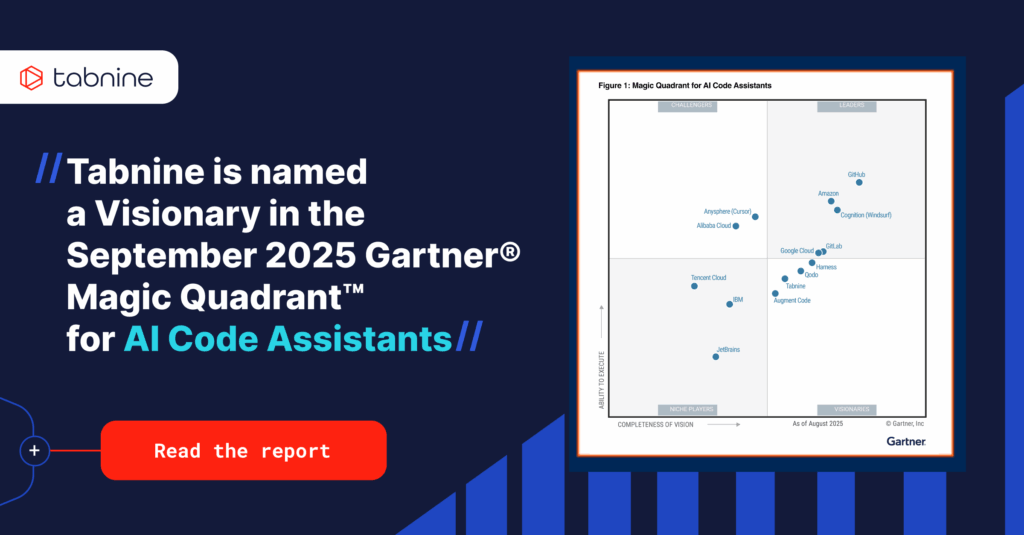
Tabnine acquired.
Tabnine has been acquired by Tricentis, the global leader in agentic quality engineering.
Tabnine provides the context enterprises need to make Al reliable, safe, and effective-through our Al Coding Suite or the standalone Enterprise Context Engine.
 G2
G2
 G2
G2
 InfoWorld






Tabnine provides the context layer that makes AI reliable in the enterprise. Our AI Coding Platform brings that context into the developer workflow, and the Enterprise Context Engine makes it available to any agent or tool—across preferred models, IDEs, and deployment environments.
Tabnine provides the context layer that makes AI reliable in the enterprise. Our AI Coding Platform brings that context into the developer workflow, and the Enterprise Context Engine makes it available to any agent or tool—across preferred models, IDEs, and deployment environments.
Tabnine's Enterprise Context Engine is what makes AI coding truly enterprise-ready. Instead of guessing from generic training data, it learns your organization's unique architecture, frameworks, and coding standards. It adapts to your mixed stacks and legacy systems, ensuring every suggestion aligns with your security, compliance, and performance requirements. By embedding enterprise knowledge directly into the coding experience, Tabnine transforms AI from a novelty into a governed, context-aware teammate that codes the way your enterprise works.
Learn More →Deploy anywhere — SaaS, on-prem, or fully air-gapped — and keep everything inside. Tabnine gives mission-critical teams the control and compliance to scale AI securely across the enterprise.
Learn More →Tabnine gives you centralized visibility, granular access controls, policy enforcement, and full auditability across users, teams, and workspaces — all in one secure place.
Learn More →
 }
}

 }
}
}
}
 }
}
}
}
 }
}
}
}
}
}
}
}
}
}
}
}
 }
}
 }
}
}
}
}
}
}
}
}
}
}
}
}
}
}
}
}
}
 }
}
}
}
}
}
}
}
}
}
}
}
}
}